The Curious Case of the Missing iPod Touch

I had an iPod Touch. It was my precious. It kept me entertained in the cage which I’m only set “freed” every weekend; only to have a string tied on my feet to pull me back, locking me back again for the rest of the weekdays. So yeah, I store all my music and videos on the iPod and I listen and watch them whenever possible. Now it’s gone and I have no idea where it went.

Continue reading

Repurpose a Capo as an Elegant Headphone Stand

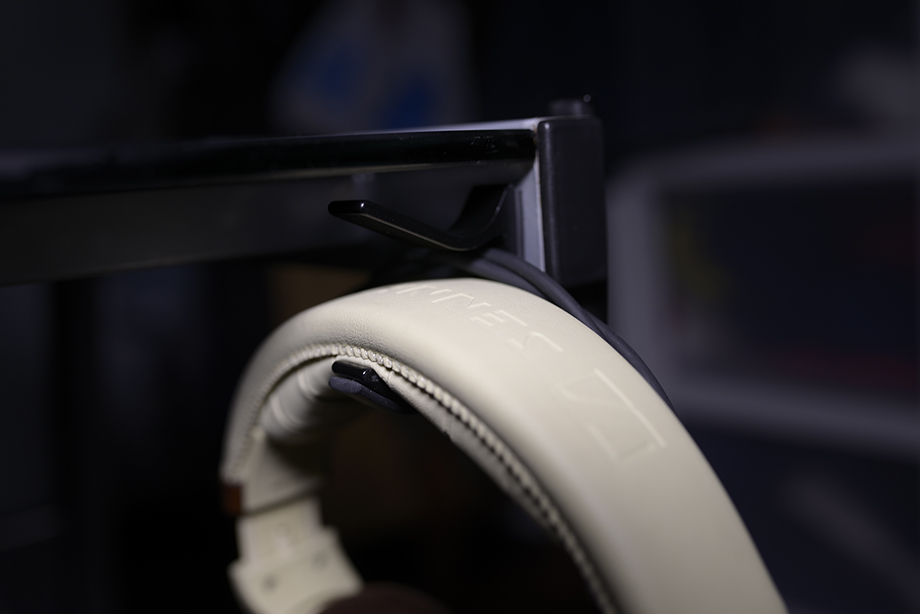
the capo headphone stand in action

There are many things that can be used as headphone stands. For people who do not want to spend the time to DIY a headphone stand or the money for those overly priced retail stands, repurposing common objects as stands works perfectly fine. Examples of objects used are Banana Stands, hooks and all kinds of surfaces that allow you to rest your headphones on. Sometimes these solutions are aesthetically unpleasant, sometimes they simply do not work as well. I have come up with an idea (at least I haven’t seen anyone doing it or talk about it) of repurposing a guitar capo as a clamp on kind of stand. Read on for some pictures and a video that explains more about it.

Continue reading

Mukii TransImp USB 3.0 HDD Dock TIP-D180U3 Review

There are many ways to access a hard drive. The most common way is through the internal SATA connectors. The other common way is through USB/eSATA. The former requires you to install the bare drive into your computer and the latter requires you to have an enclosure that supports such a transfer. Another method, that partially combines both mentioned connections, is through a hard drive dock. A hard drive dock allows you to use bare drives and simply connect them through whatever means available. Today we will be reviewing the Mukii TransImp TIP-D180U3, a USB 3.0 HDD Dock. Read on for the video and written review.

Continue reading

DIY NAS – Backing Up Your Files (Remote)

A few days back I wrote a guide about backing up your files locally. This time around, I will be teaching you how to backup your files in a remote location say another NAS in another house. For a clearer understanding, do read up on the previous guide. For this guide, I will jump straight into the steps to backup your files remotely and cut short the explanations that are already done previously.

Continue reading

DIY NAS – Backing Up Your Files (Local)

Now that you have started storing your precious files and data into the NAS, it is time to back it all up. It isn’t fun when you lose all your data. Things such as photos and videos contain precious memories that can never be replaced should they be gone. The most common way to lose your files (unintentionally) is through HDD failure. Sometimes you can spot a dying HDD but in other cases, they just come and go without any warnings. It is thus vital to store the files in at least two locations. Today, I will be teaching you to do just that. Time to learn how to setup a scheduled backup of your files!

Continue reading

VPN Gate – A Truly Free VPN Service

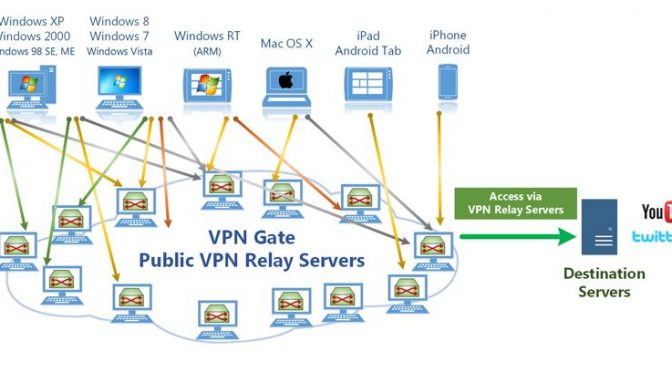
VPNs (Virtual Private Networks) can be used for several things. The most common use of them is to bypass geographical restrictions. There are many sites and services on the net that only serve certain regions; Netflix, for example, is only available in the US, Canada and some Latin American countries. Using a VPN server that is located within the allowed regions will give you access to that particular service. There are also other uses such as providing anonymity, higher privacy and a more secure connection. There are several “free” services out there but they always come with some kind of special condition. VPN Gate, however, is a truly free service.

Continue reading